In beta on Samsung TVs and Android. More TVs and computers next.
Your own TV, made fast.
A player for the playlists, guide and media library you already have. One look on your TV, your phone and your computer, built for the remote.
Screens
A look around
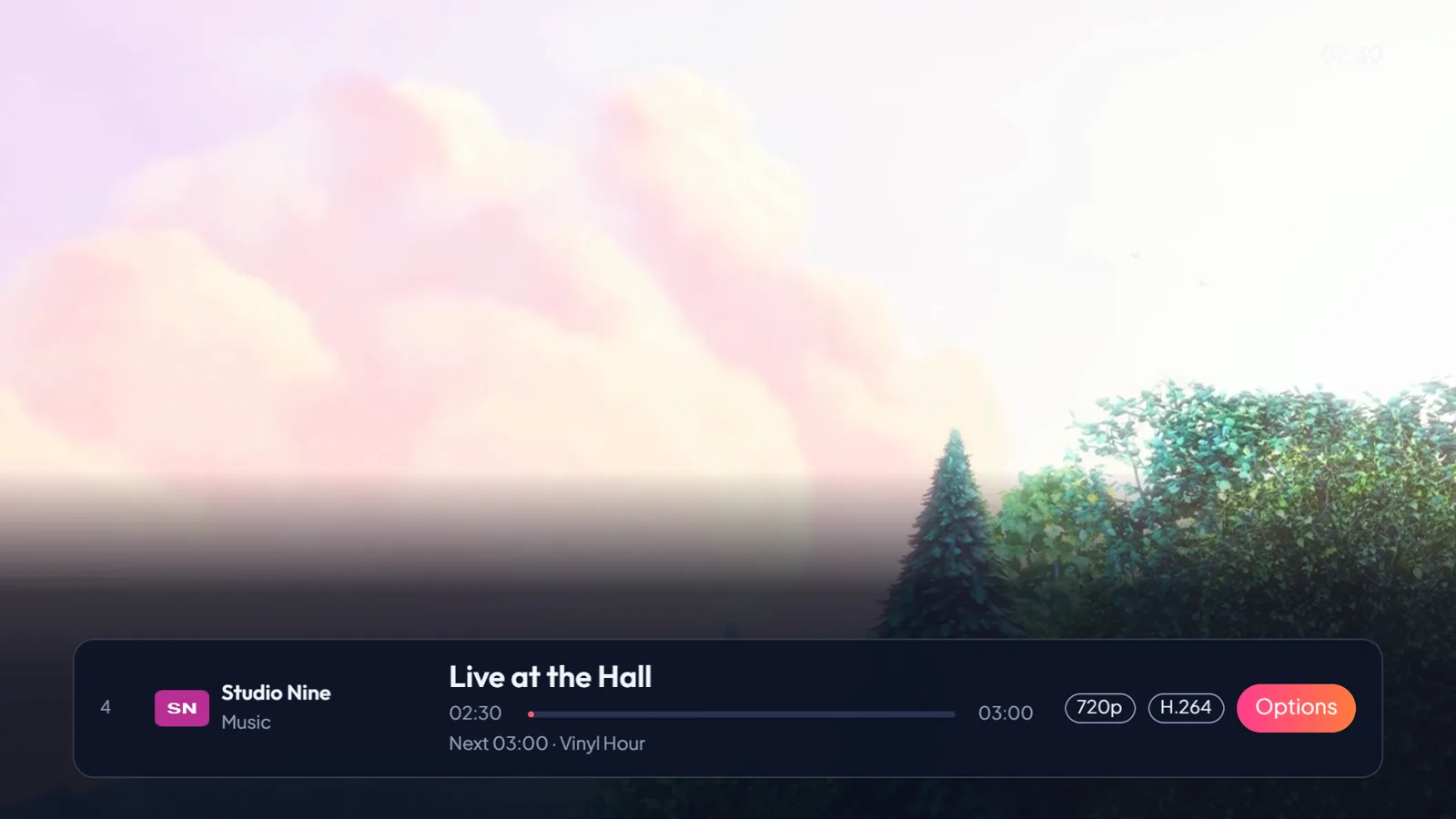
Real screens from the TV app, running on a test source. Live TV and the guide share one screen, films and series get posters, and whatever you focus lights up in the same pink-to-coral gradient on every device.
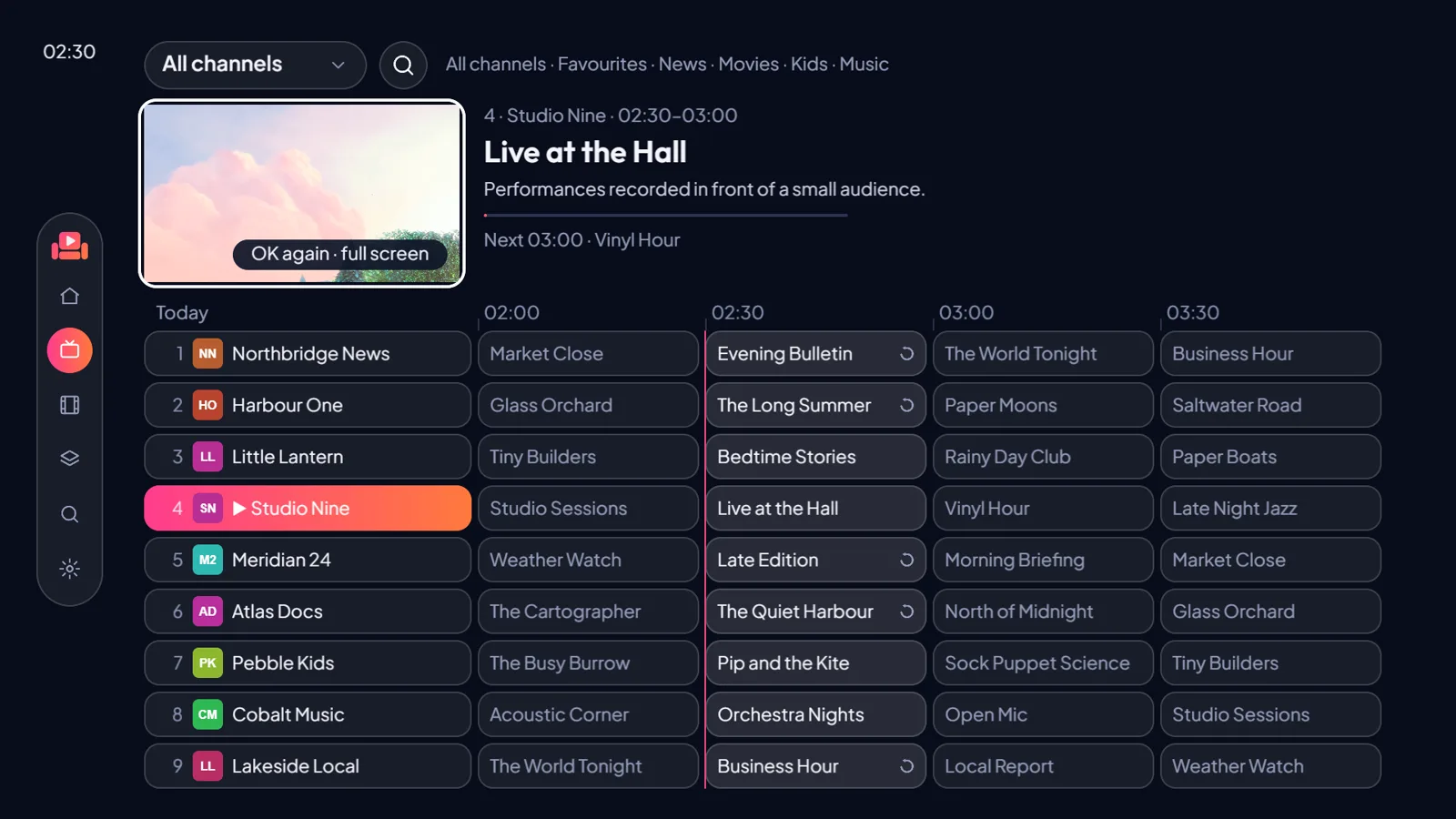
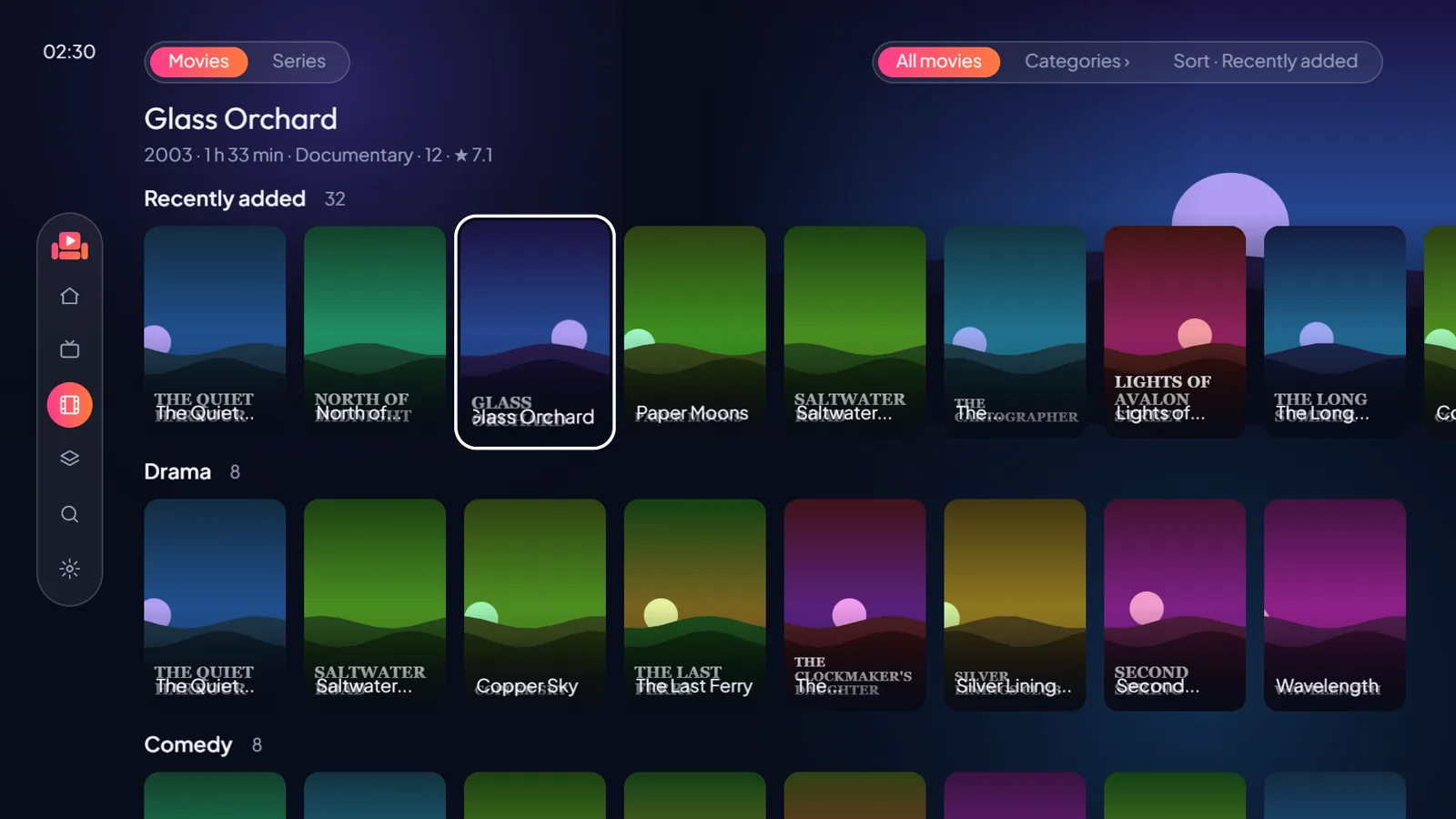
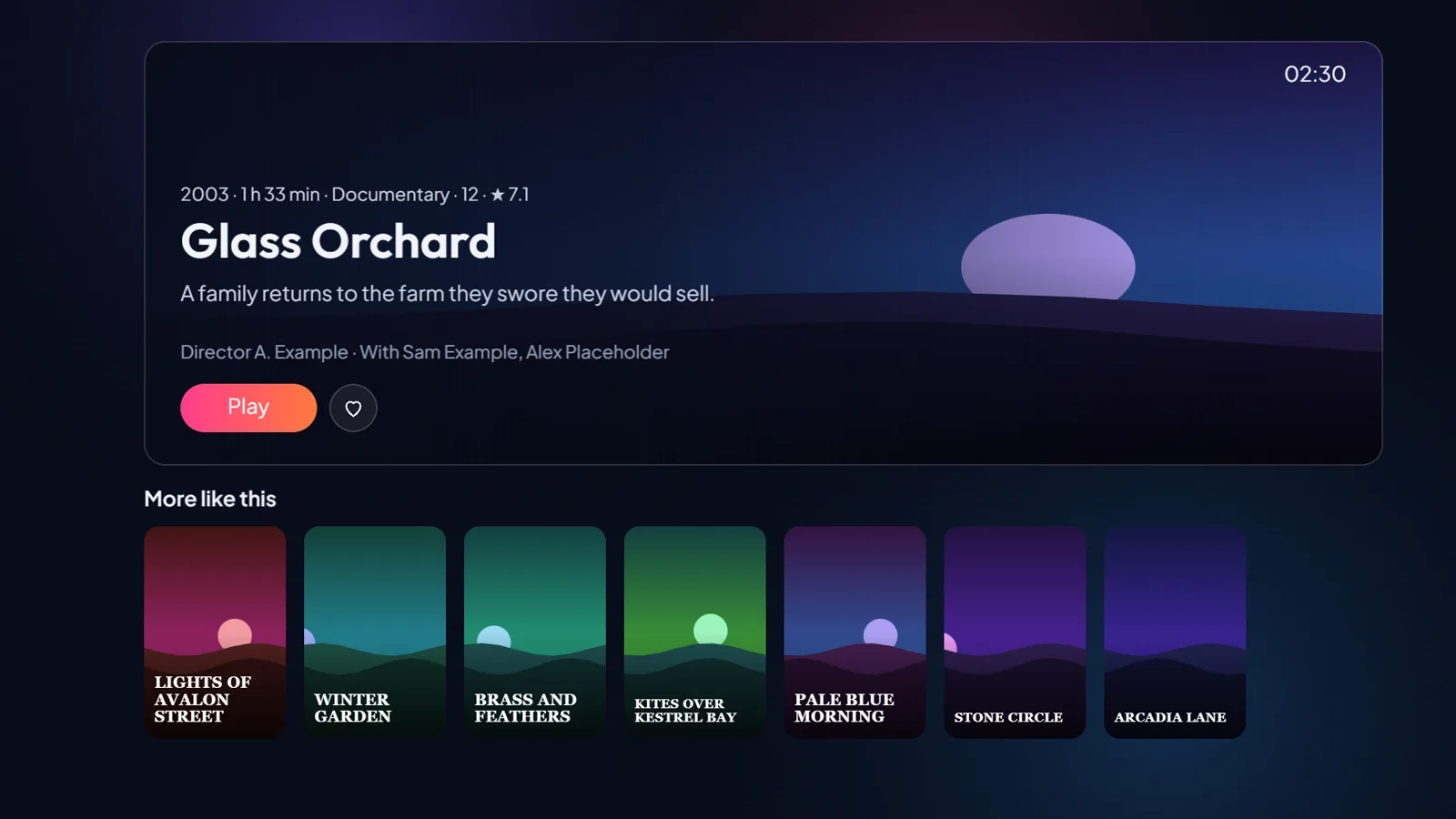
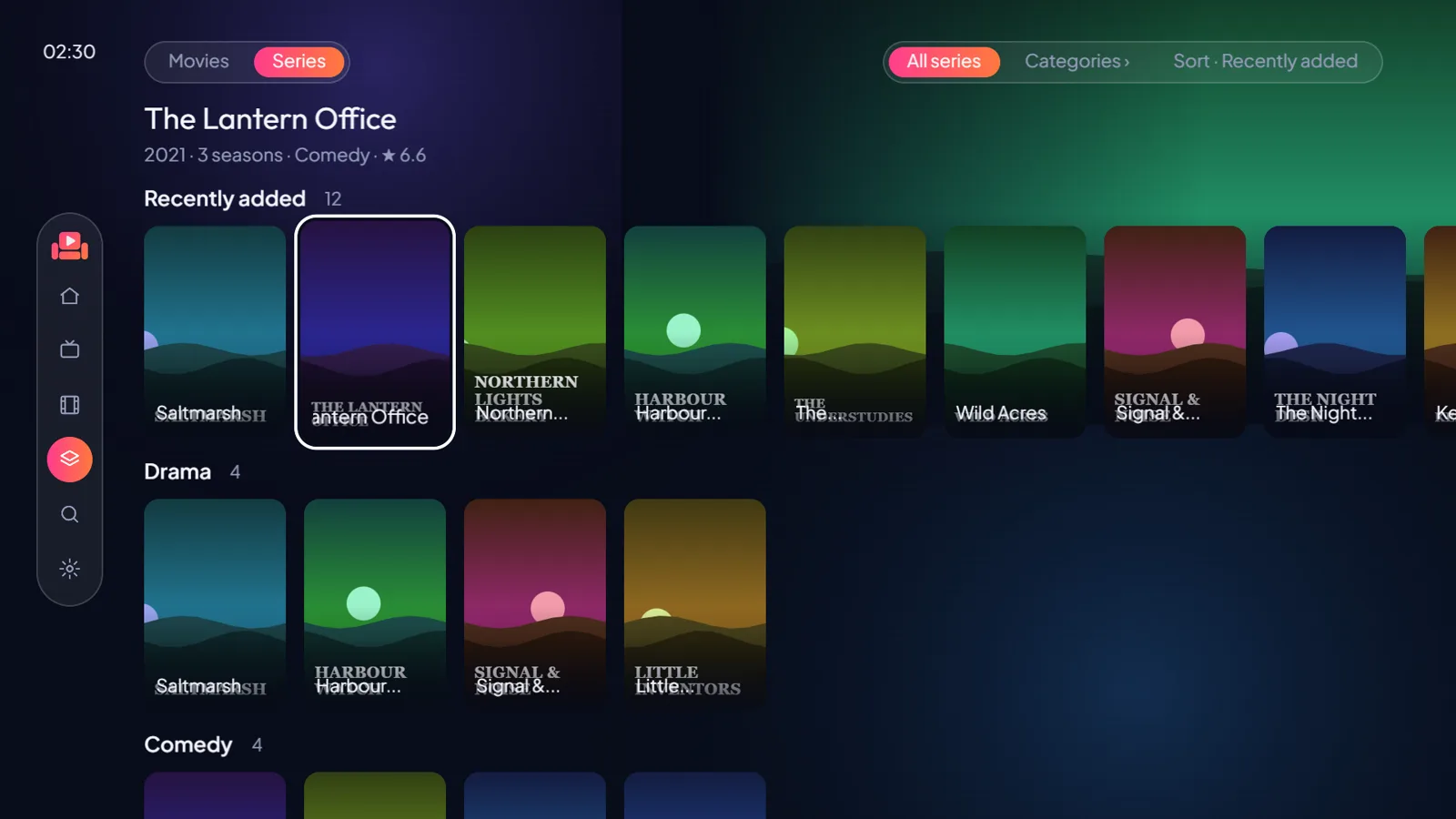
The channel, programme and title names in these pictures are made up, and so is the poster art. The video is Big Buck Bunny (© Blender Foundation, CC BY 3.0).
Sources
What it plays
Sofflock comes with no channels, films or series. It plays what you bring: sources you have the right to use, from your TV operator, your own server or free-to-air broadcasts.
-
PlaylistsM3U links and Xtream logins that your operator or your own server gives you.
-
TV guideXMLTV guide data, matched to your channels.
-
Your media server and antennaJellyfin, Plex and HDHomeRun tuners are on the way.
Features
What it does
It is built to open on the last channel you watched in under a second, and every screen works with the arrows, OK and Back on your remote. The phone app has the same screens, sized for a thumb.
Opens on your last channel
Built to start playing from cache in under a second, before the guide has finished loading. Nothing waits on a playlist.
A full TV guide
Now and next on every channel, a timeline you can scroll, and catch-up when your source keeps recordings.
Several channels at once
Up to six windows on one screen. Pick which one you hear, and swap channels without leaving.
Films and series
Posters, resume, one card per title with its versions, and a page for every film and show.
Subtitles and sound your way
Subtitles in your language from the stream, a file or a link, with sync fixes. The sound track you prefer, remembered.
A start page that knows you
What you were watching, what is on now, live events from your own guide, and the titles in your library people are talking about this week.
Set it up from your phone
Scan a code on the TV and add your sources, lists and groups there instead of typing with the remote.
Your channels, your order
Favourites, lists and groups, your countries first, duplicates folded into one channel with fallback sources.
One look everywhere
The same Stage design on Samsung TVs, Android phones and tablets, and the Windows app.
Privacy
Yours stays yours
This site sets no cookies and loads nothing from other companies.
Your logins and playlist links stay on your TV. When you set up the TV from your phone, the two talk end to end encrypted. The relay in between only passes on data it cannot read, and stores nothing.
We never see your streams, playlists or guide. The app plays them straight from your source. The only thing it downloads from us is a public list of popular titles, and that request carries nothing about you.